Features: who gets which coupon, and when
Every feature is on every plan. Below you see how they work on the real dashboard and the real storefront.
01 — formats
Formats and designer
Seven formats in one designer: popup, slide-in, bar, banner, fullscreen, wheel and goal bar. Start from a template and see in a live preview what the shopper will get.
- Desktop and mobile preview, with a separate phone design
- Built-in photos or your own uploads (up to 50 per shop)
- A countdown that is the code’s real expiry
- Teaser button: the visitor opens the offer when they want it
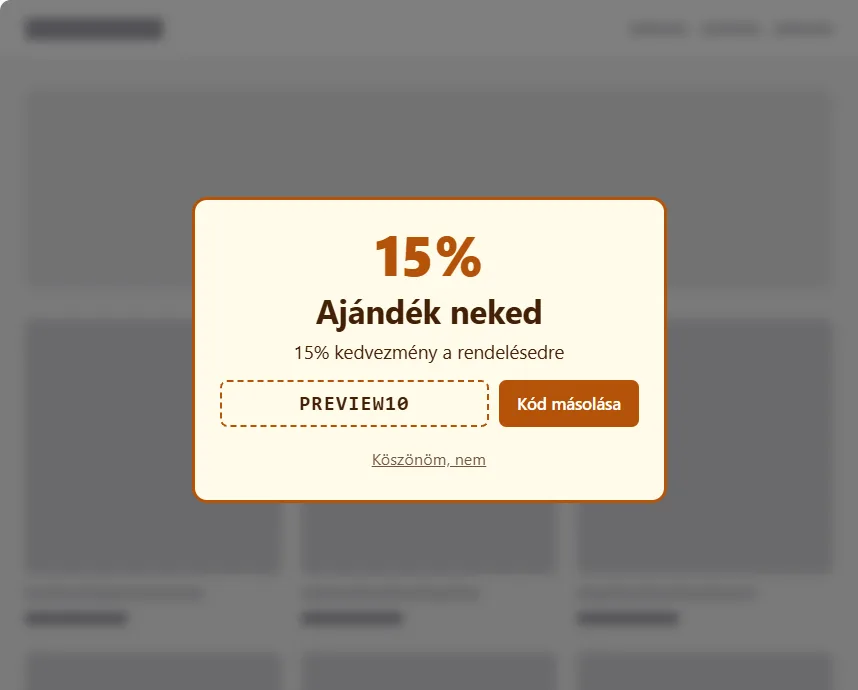
Popup
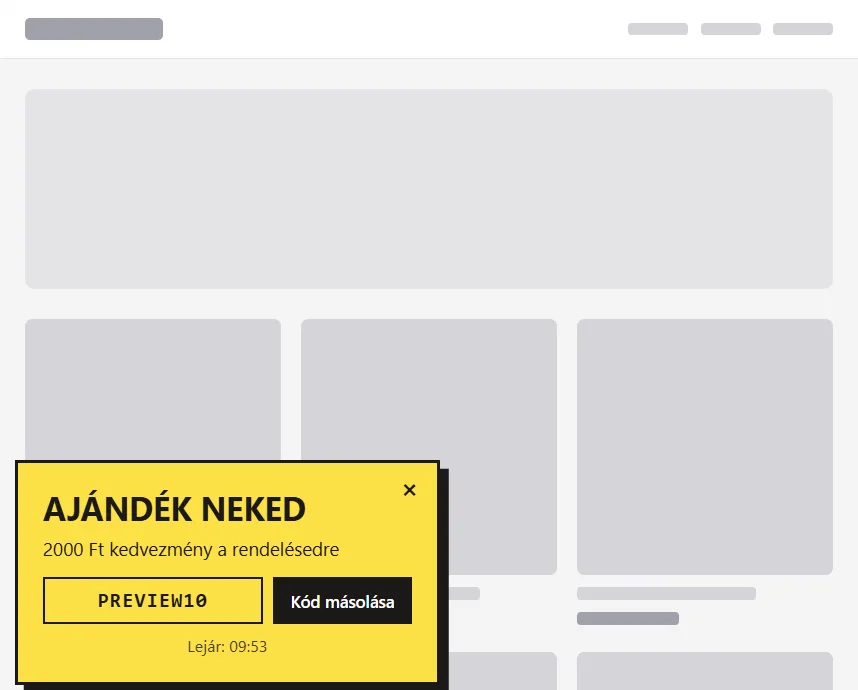
Slide-in
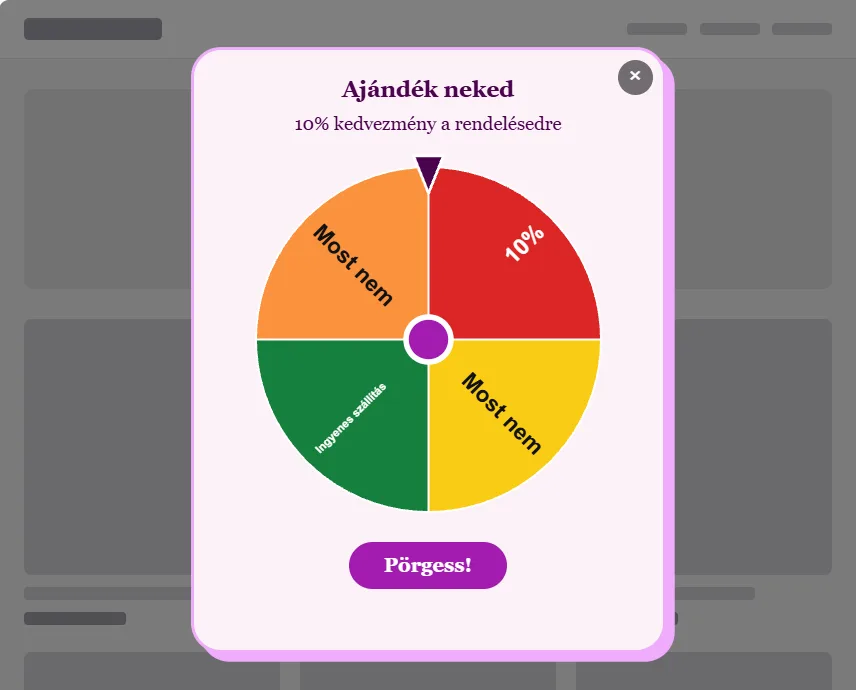
Wheel
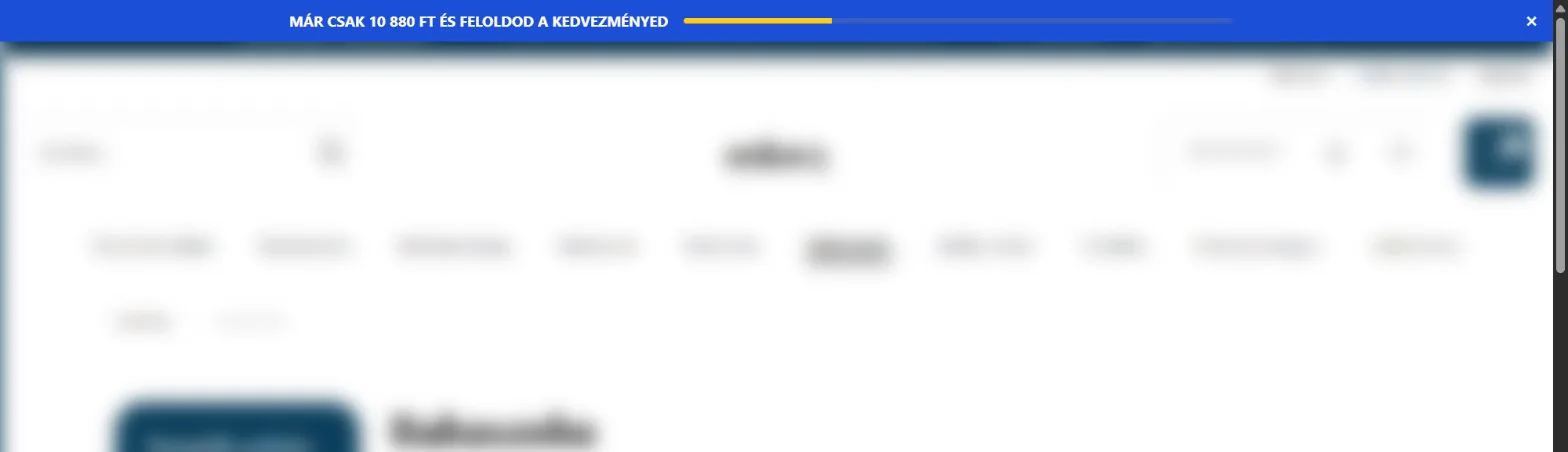
Goal bar
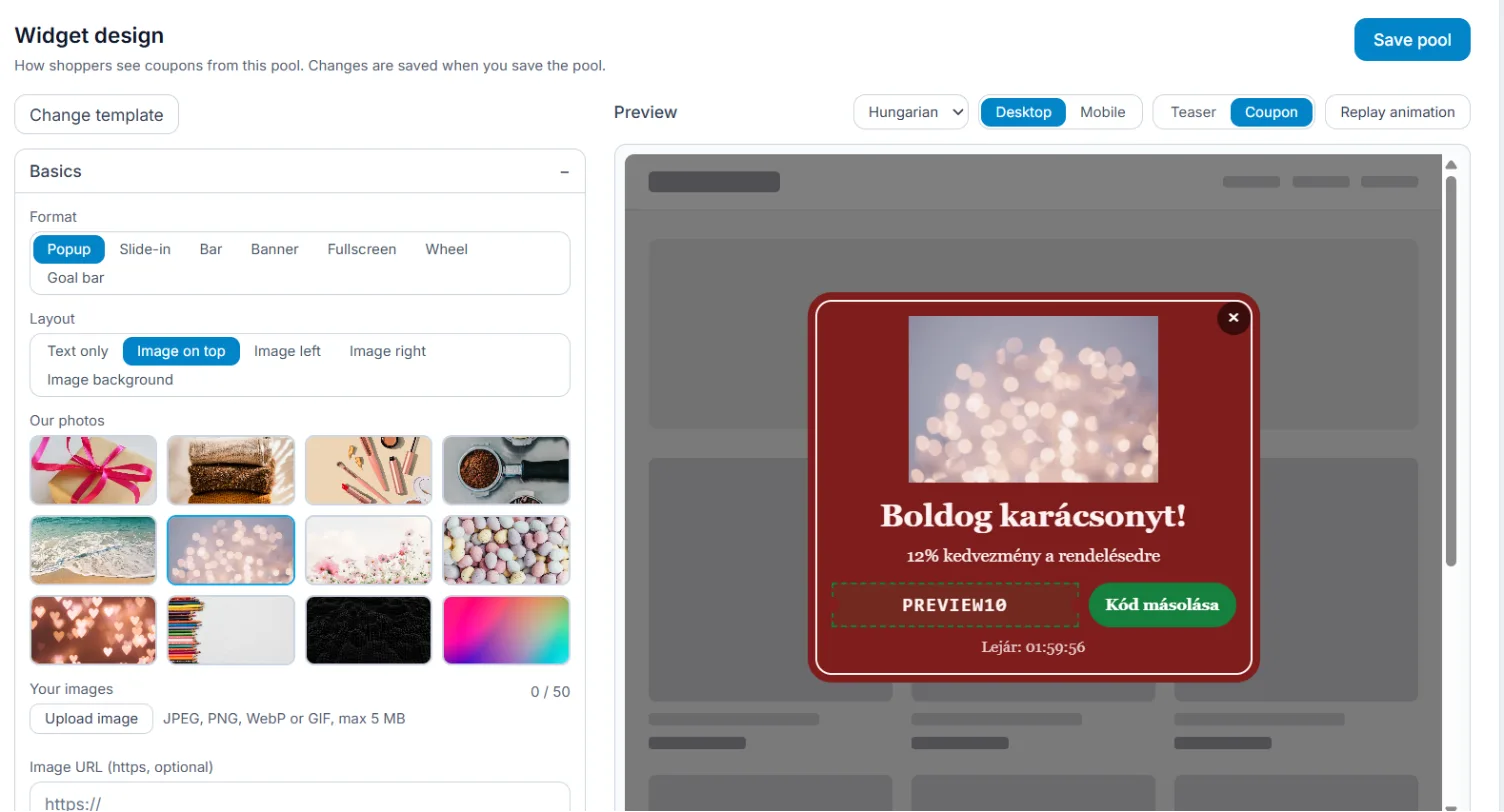
- Start from a template – from the gallery, swap it anytime.
- Your own image – built-in photos or an upload.
- Phone view – a separate design for phones.
- Live preview – see what the shopper sees.
02 — targeting
Targeting and triggers
A rule decides who sees the offer and when. Conditions combine: all of them must be true, or any one.
- Behaviour: exit intent, scrolling, idle time, a click on an element, time on the page
- Cart: cart total, items in the cart, a product in the cart, left the checkout
- Visitor: pages viewed, number of visits, new or returning, device
- Source and place: traffic source, UTM campaign link, referrer, country
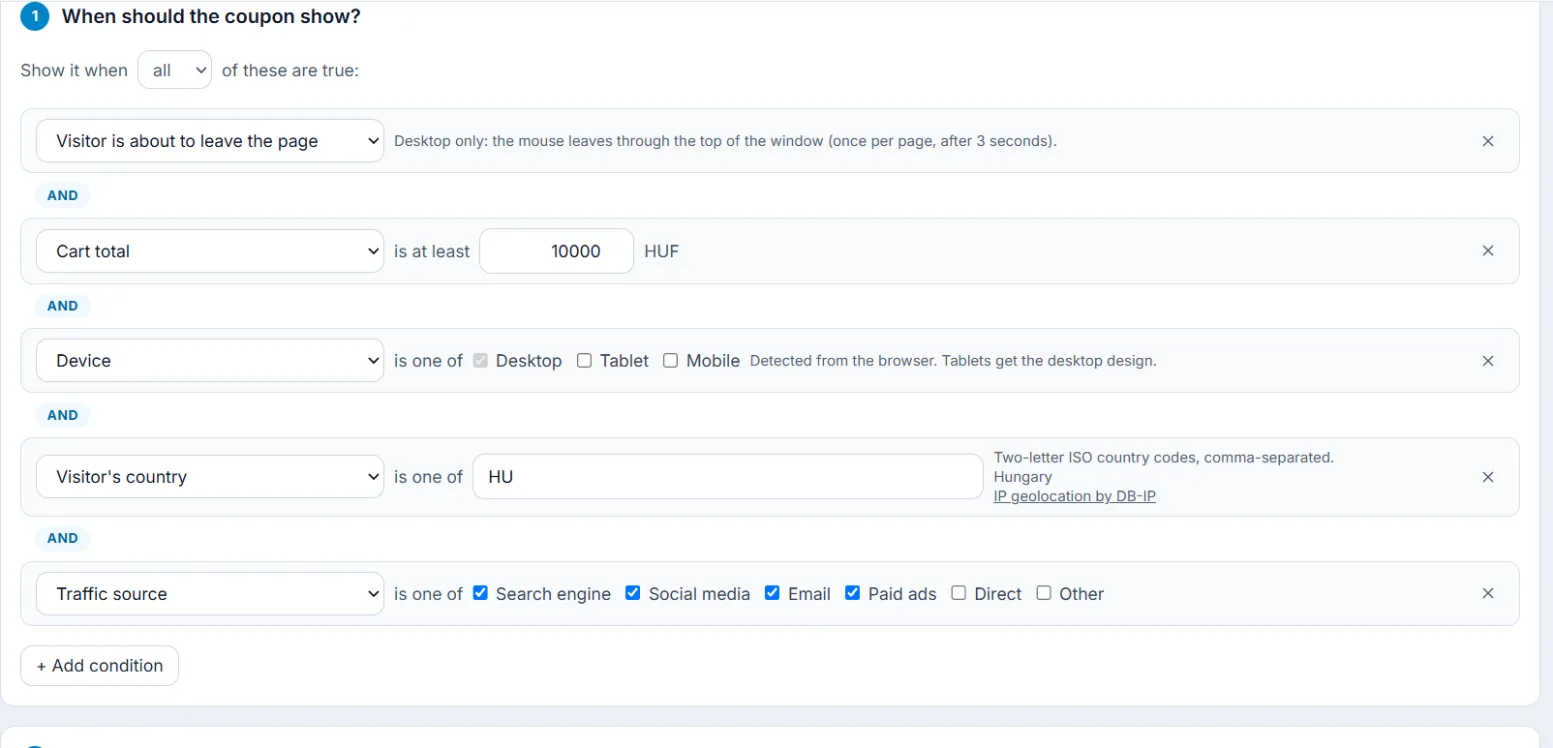
- Exit intent – on desktop, when the mouse leaves the window.
- Cart total – for example at least 10,000 HUF.
- Device – desktop, tablet or mobile.
- Country – from the IP address.
- Traffic source – search, social, email, paid ads.
03 — limits
Display limits
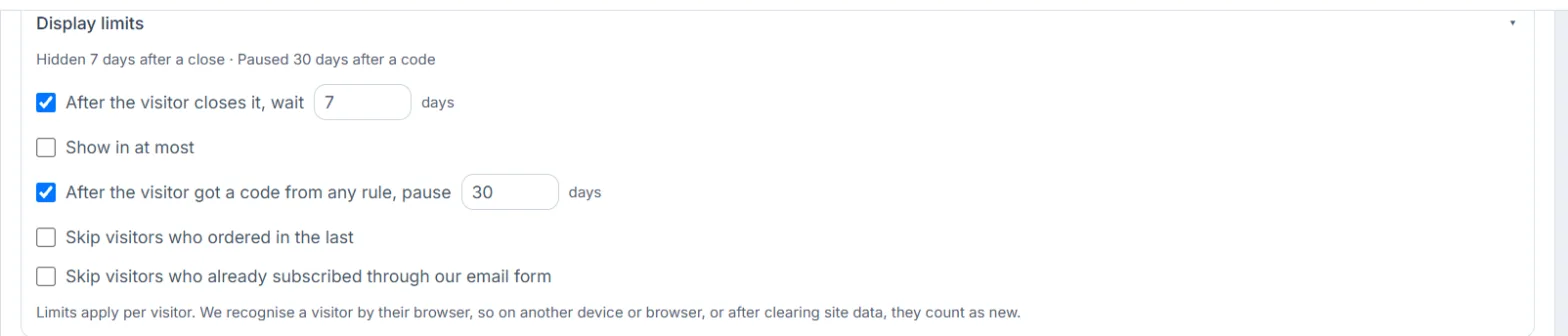
No nagging: after a close, a code or a purchase the offer stays hidden for a set time.
- By default hidden for 7 days after a close, a 30-day pause after a code
- Show on at most this many visits
- Skip visitors who ordered recently or have already subscribed
04 — coupons
Coupon pools and unique codes
A coupon pool supplies the codes: the discount type and value, the expiry and how many codes may go out.
- Percentage, fixed amount or free shipping
- On Shopify and in Shoprenter API mode, limited to selected products, collections or categories, with sale items excluded
- Issue limit: the pool stops after a set number of codes
- Expiry with a countdown in the widget
One shared code
It lands on coupon sites within minutes and gets used by people it was never meant for.
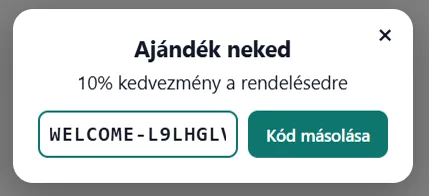
A different code per visitor
On Shopify and in Shoprenter API mode every code is a real, unique coupon in the store.
05 — experiments
A/B tests and variants
Up to four variants (A–D) of a rule run in equal shares, each with its own design and coupon. A no-coupon control group shows what the coupon itself brings.
- Chance to win for every variant
- Choose the winning metric, for example revenue per visitor
- Auto-end at 95% chance after at least 7 days
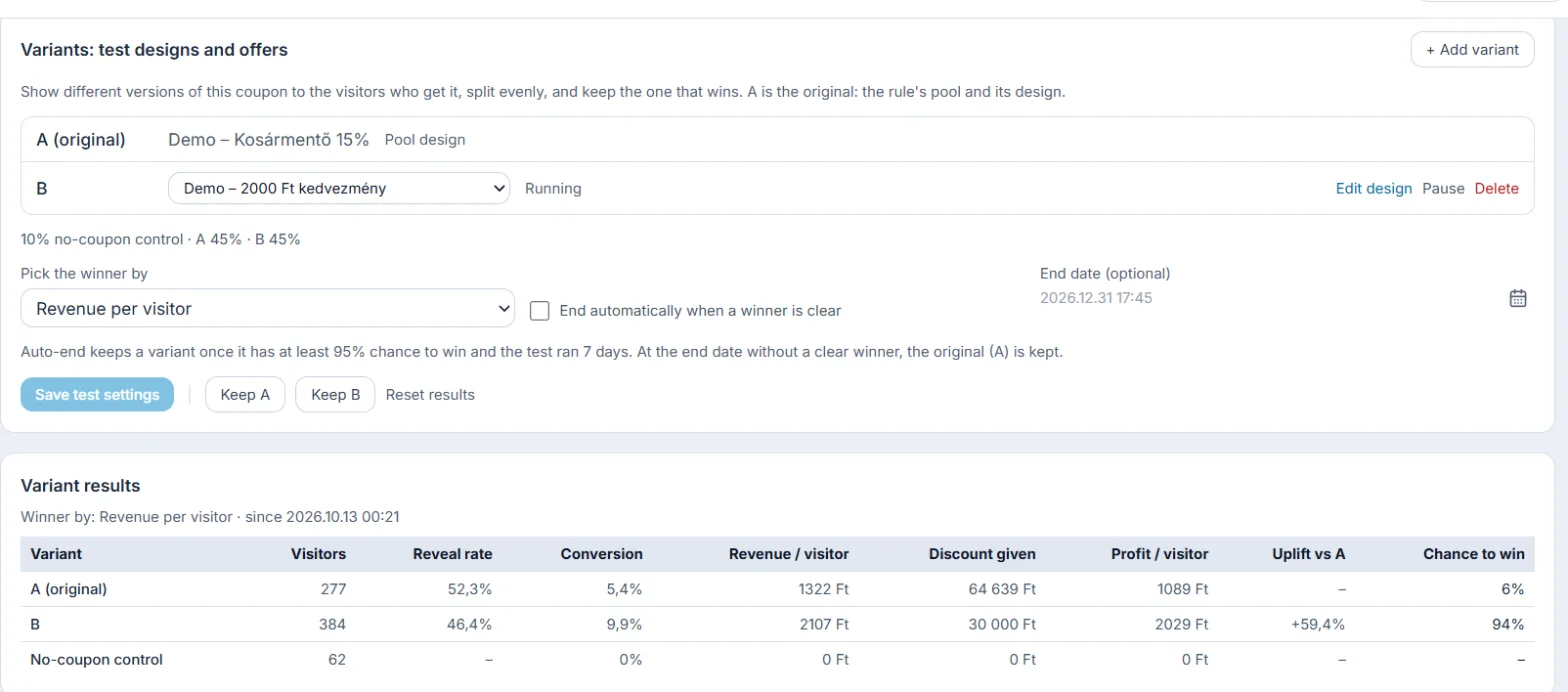
- Auto-end – when a variant wins with at least 95% chance and the test has run for 7 days.
- Chance to win – per variant, by the metric you choose.
06 — AI
Smart discount (AI)
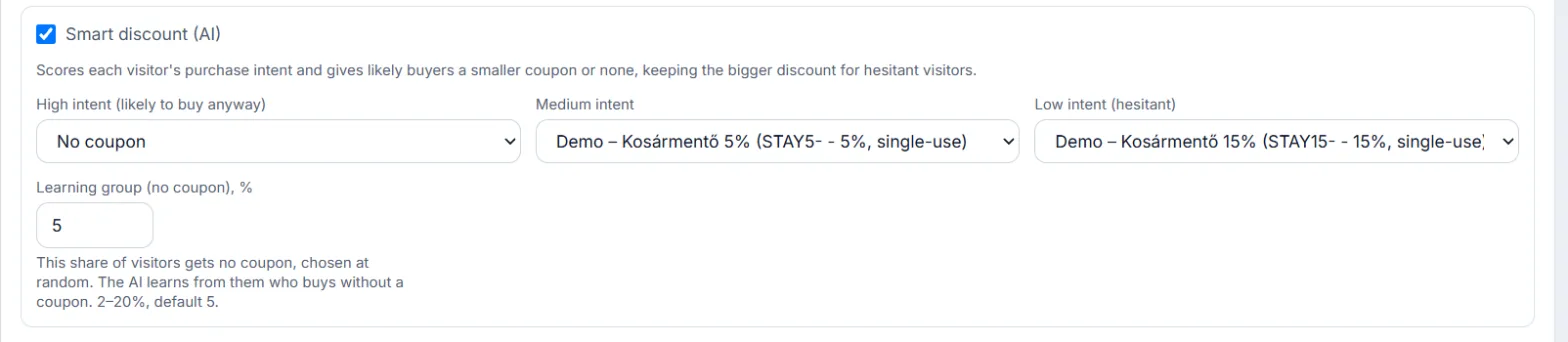
Scores each visitor’s purchase intent. Likely buyers get a smaller coupon or none, and the bigger discount stays for hesitant visitors.
- Three intent bands, each with its own coupon pool
- Learning group (2–20%): gets no coupon, so the model can learn
- A model per shop, retrained every night
Purchase intent → coupon
- Low intent (hesitant)15%
- Medium intent5%
- High intent (likely to buy anyway)No coupon
07 — email
Email capture with consent
The widget asks for an email first and shows the code only after the visitor subscribes. Addresses go to the Subscribers list and on to your newsletter tool automatically.
- Klaviyo and Omnisend with an API key
- On Shopify the subscriber is also created as a Shopify customer, no key needed
- A link to your privacy policy is a required part of the form
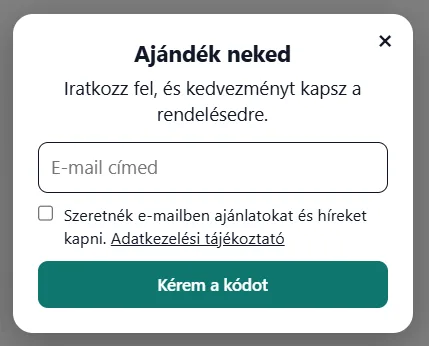
With consent
The widget asks for an email first and shows the code after.
- Klaviyo
- Omnisend
- Shopify customers
Passed on automatically
The address goes to your newsletter tool by itself.
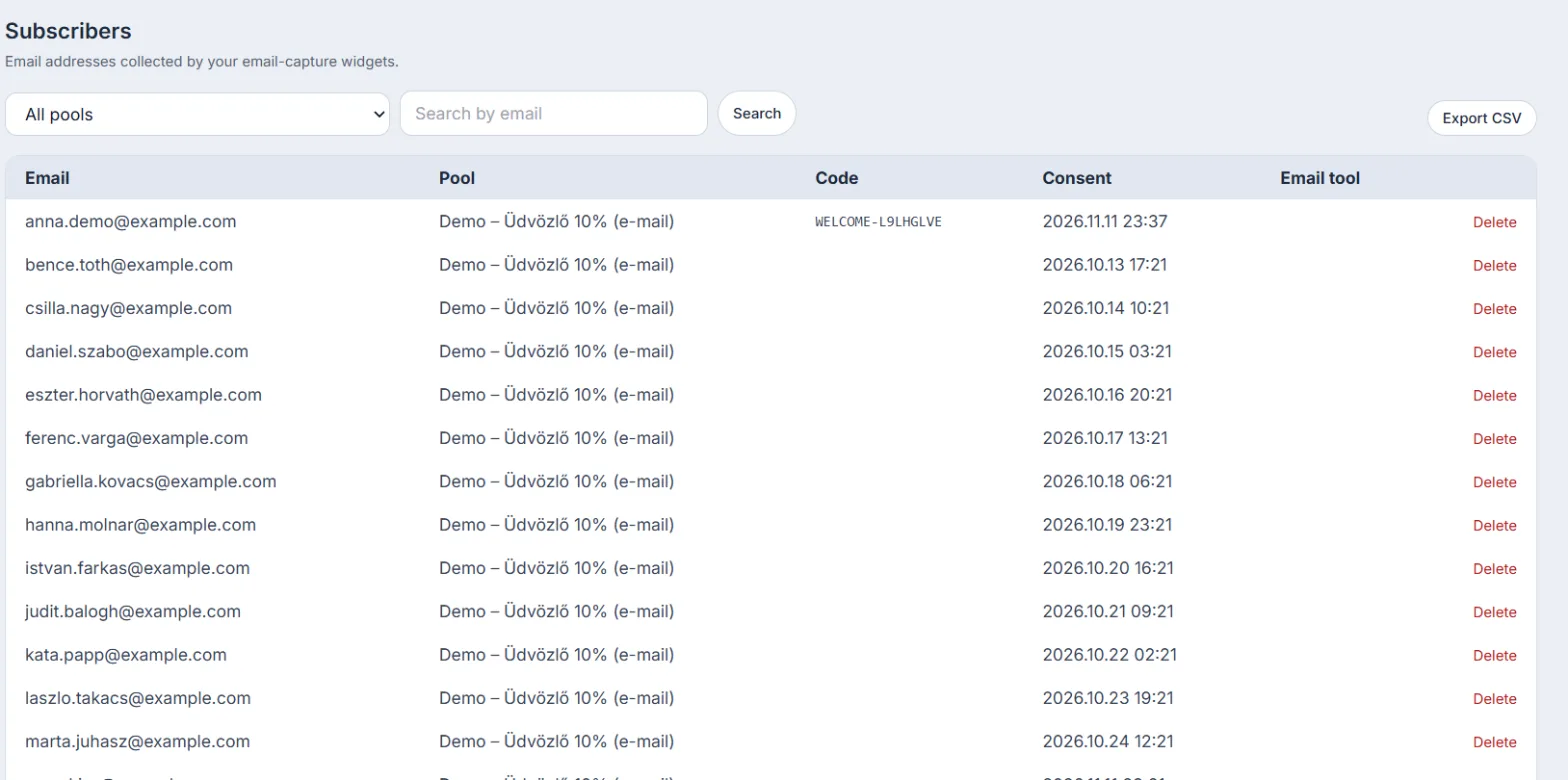
Subscribers
Every address with its coupon pool and consent time, with CSV export.
08 — reports
Reports
Per campaign and per rule you see how much revenue the coupons brought and how much better the coupon group buys than the no-coupon control.
- Revenue uplift and conversion uplift
- Daily charts in your shop’s time zone
- Funnels, experiments, rules and pools, orders
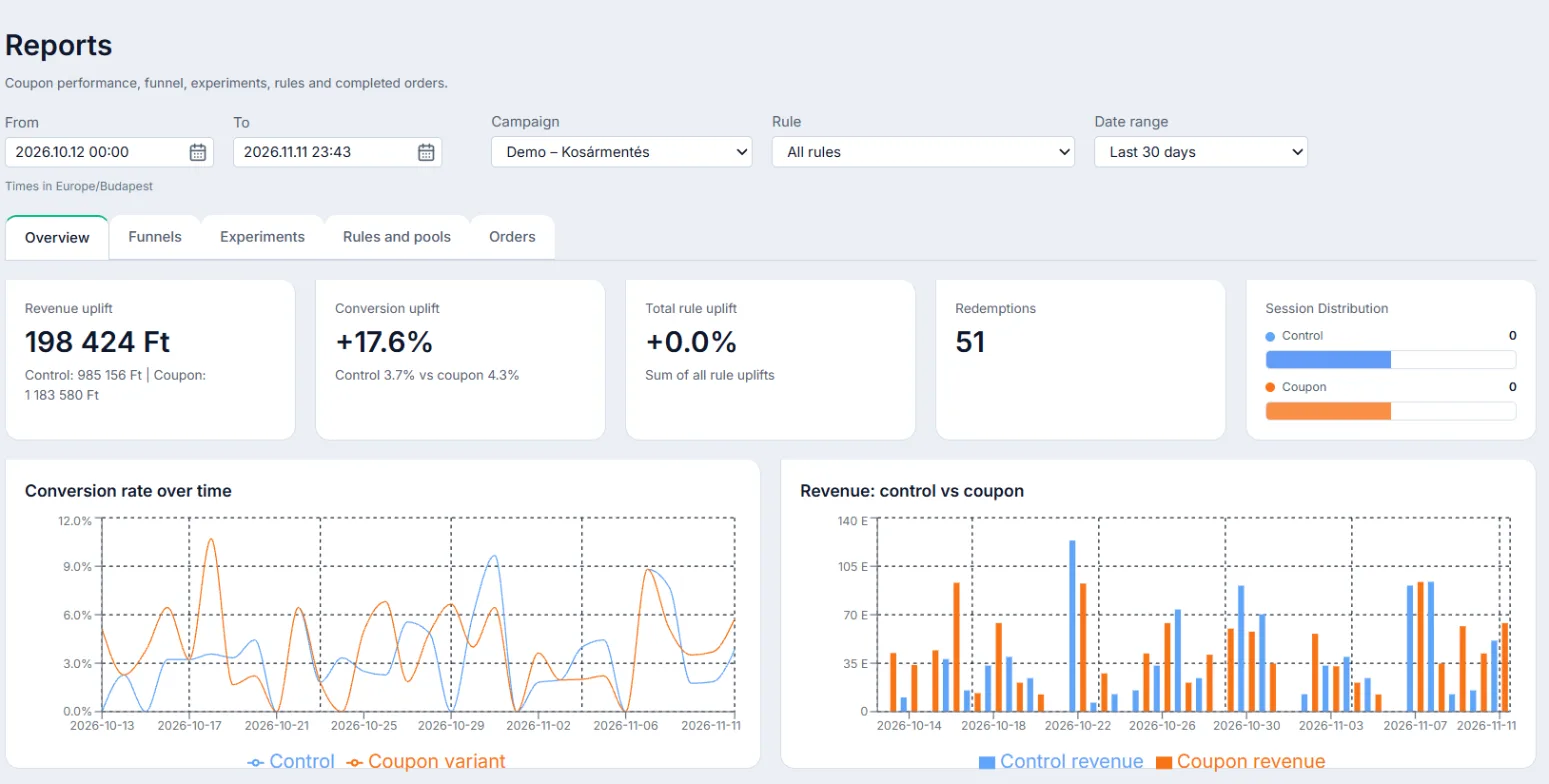
- Revenue from coupons – the coupon group against the control group.
- Conversion uplift – against the no-coupon control.
- Daily charts – in your shop’s time zone.
- Filters – by campaign, rule and period.
09 — safety
Safe coupon codes
With unique codes a leaked coupon is worth nothing to anyone else. On Shoprenter you pick one of two modes, depending on whether you have API access.
- Shop API mode: every code is its own Shoprenter coupon
- Proxy mode: works with every Shoprenter plan; EasyCoupon types the technical coupon at checkout
- If the technical coupon is used elsewhere, we email you (at most once a day per pool)
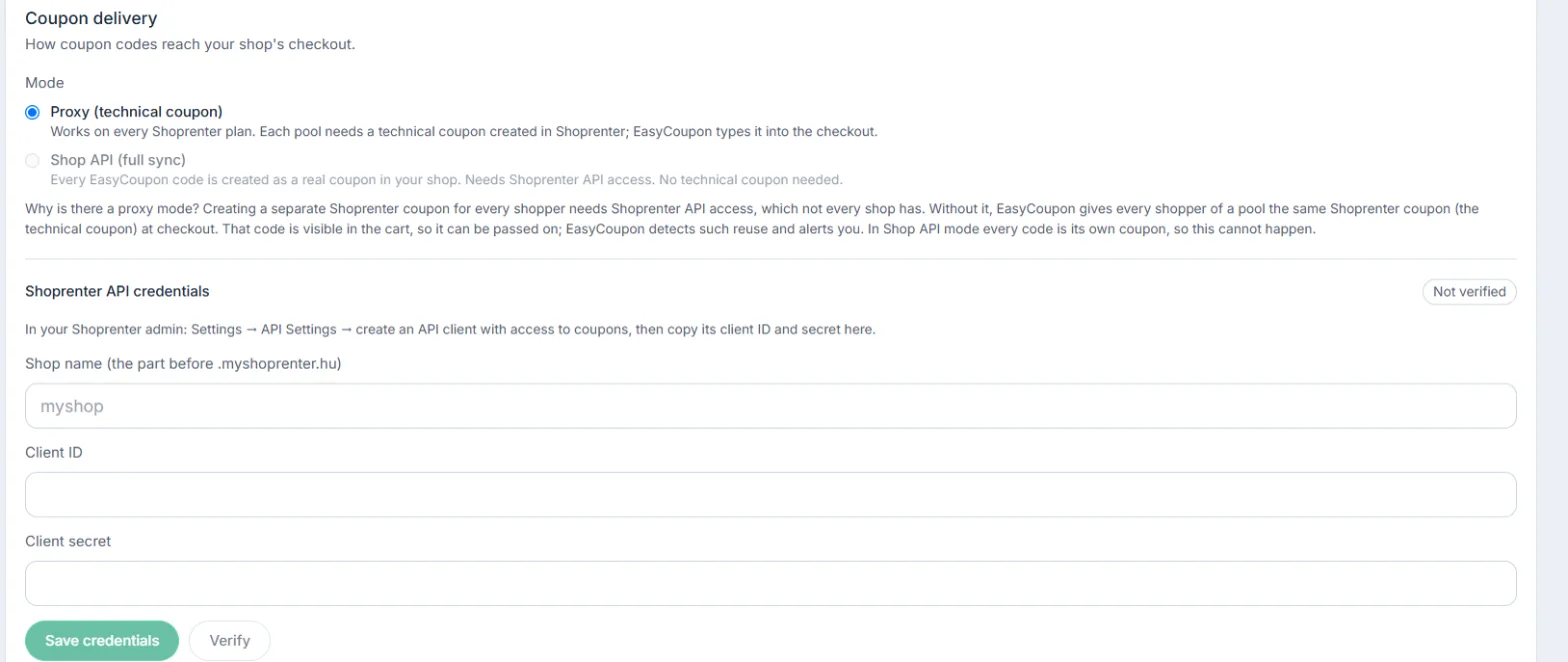
- Proxy mode – works with every Shoprenter plan; if the technical coupon is used elsewhere, EasyCoupon notices and emails you.
- Shop API mode – every code is its own Shoprenter coupon, so there is nothing to pass on.