Targeting and triggers
A rule’s When should the coupon show? section decides who sees the offer and when. You add conditions and say whether all of them or any of them must be true.
Adding conditions
- Open the rule (Edit on the campaign page) and click + Add condition.
- Choose the condition and its value. The drop-down groups them.
- At the top set whether all or any of the conditions must be true, then save the rule. The change is live at once.
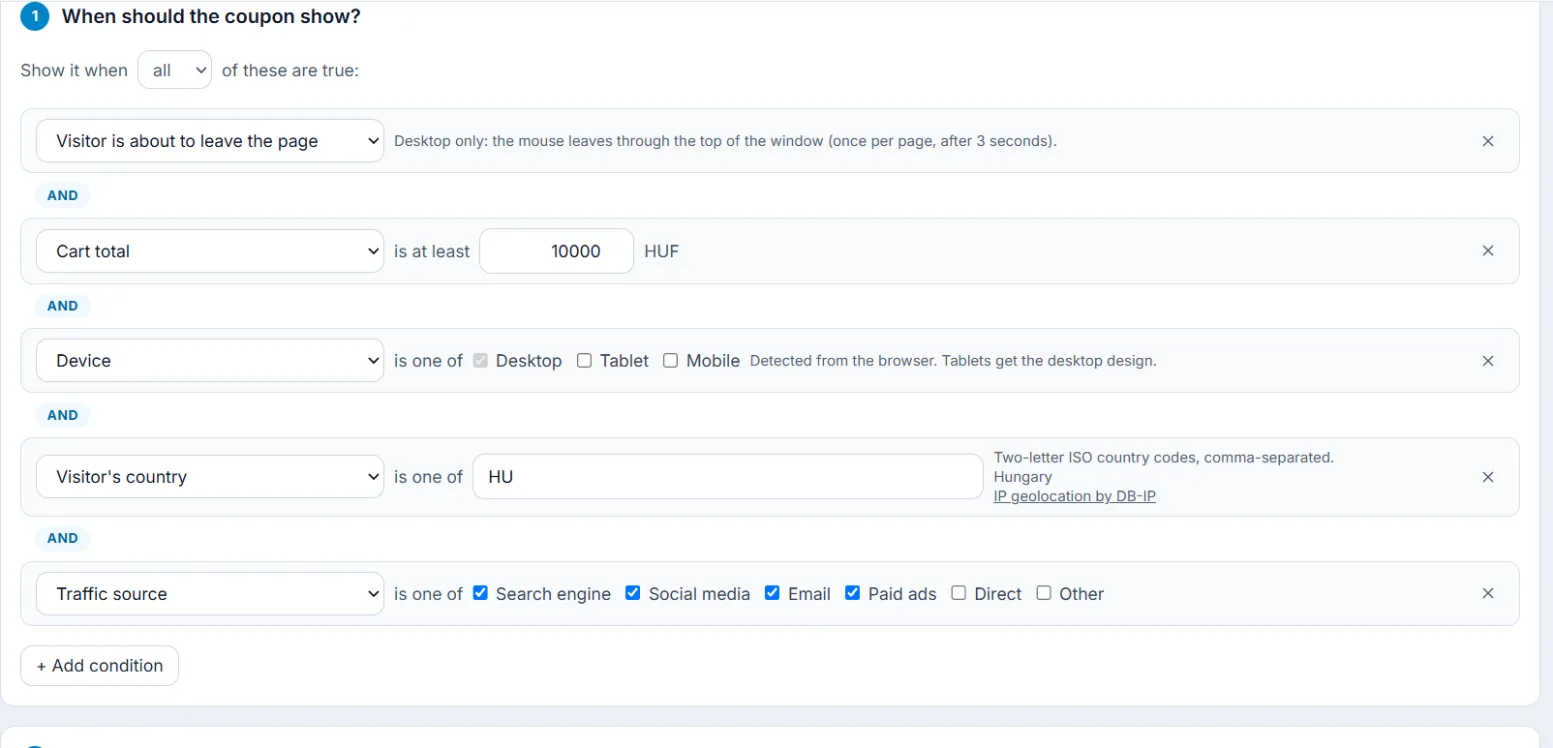
Condition groups
- Visitor behaviour: Visitor is about to leave the page (desktop only: the mouse leaves through the top of the window, once per page, after 3 seconds), Scrolled down the page, Visitor is idle (no activity) for, Visitor clicks an element, Time on this page, Pages viewed this visit, Number of visits, Visitor type (new: first seen less than 30 minutes ago).
- Cart: Cart total, the number of items and the product SKUs in the cart, an empty cart, a left checkout.
- Page & products: the page URL, its category, the SKU of the product viewed.
- Device: desktop, tablet or mobile, detected from the browser. Tablets get the desktop design.
- Traffic source: search, social, email, paid ads, direct; Campaign link: UTM source and UTM campaign; the referrer.
- Location: Visitor's country as a two-letter country code, from IP geolocation (DB-IP).
When are they checked?
When a page loads, again from time to time, on exit intent on desktop, and when a watched event happens: scrolling, idling or a click. On one page at most ten such events trigger a new check, so your store does not slow down.