Campaigns, rules and coupon pools – how they fit
You set three things: what the shopper gets (coupon pool), when and to whom it shows (rule), and when all of it is switched on (campaign).
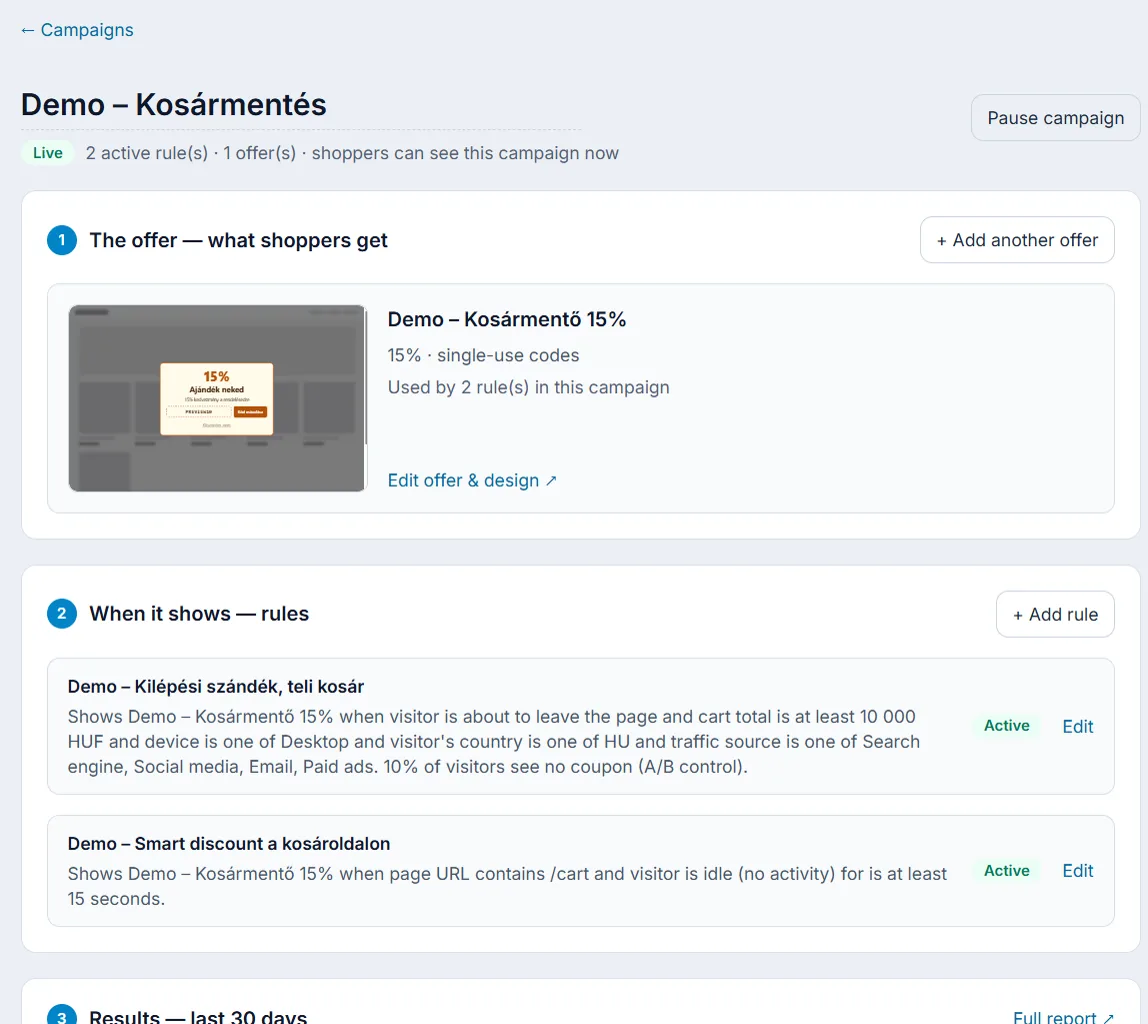
Coupon pool – what the shopper gets
Coupon pools supply the codes: the discount type and value, the expiry, whether a code is single-use or multi-use, and how many codes may go out in total. The pool also holds the widget design (popup, slide-in, bar, wheel and the rest). On the campaign page a pool is called an offer.
Rule – when and to whom
Rules decide which visitor sees the offer and when: conditions (for example exit intent, cart total, country), display limits, a control group, variants and Smart discount (AI). A rule always gives out one coupon pool.
Campaign – when it is switched on
Campaigns bundle the offer and its rules. A campaign is a Draft or Active: shoppers only see the active rules of active campaigns. So a seasonal promotion starts and stops with one click.
What happens during a visit?
- The code on your store reports events (page views, cart, scrolling and so on) and asks whether to show an offer.
- Of the active rules in active campaigns, the one whose conditions are all met and whose display limits allow it decides. If several do, the same visitor always gets the same one; the control group may still be left out after that.
- If an offer is due, the widget shows with the design of the rule’s coupon pool, and the visitor gets a unique code.
- The code is applied at checkout, and the order and revenue go into your reports.