Your first campaign in 5 minutes
The quickest way is a ready-made campaign: pick one, set the discount, check it and switch it on. You can change every value later.
1. Pick a ready-made campaign
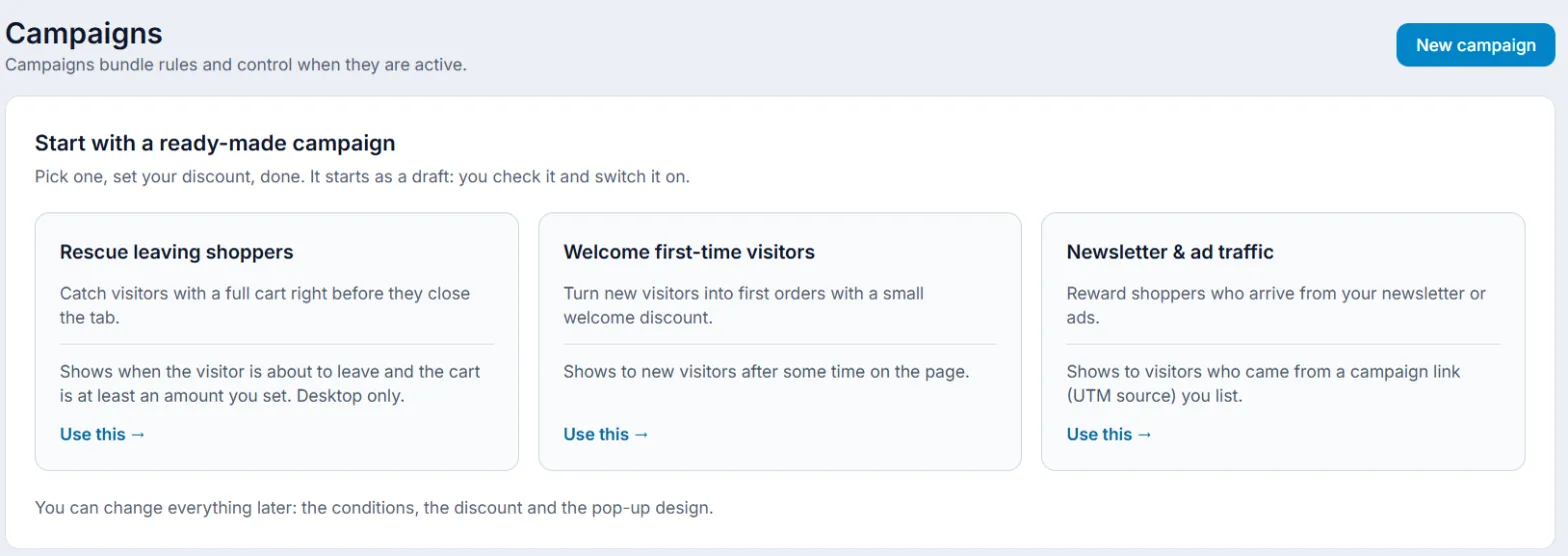
- Open Campaigns. While you have no campaign, you see Start with a ready-made campaign here.
- Pick one and click Use this:
- Rescue leaving shoppers – shows when the visitor is about to leave and the cart reaches an amount (desktop only);
- Welcome first-time visitors – for new visitors after some time on the page;
- Newsletter & ad traffic – for visitors from the campaign links (UTM source) you list.
2. Set the discount
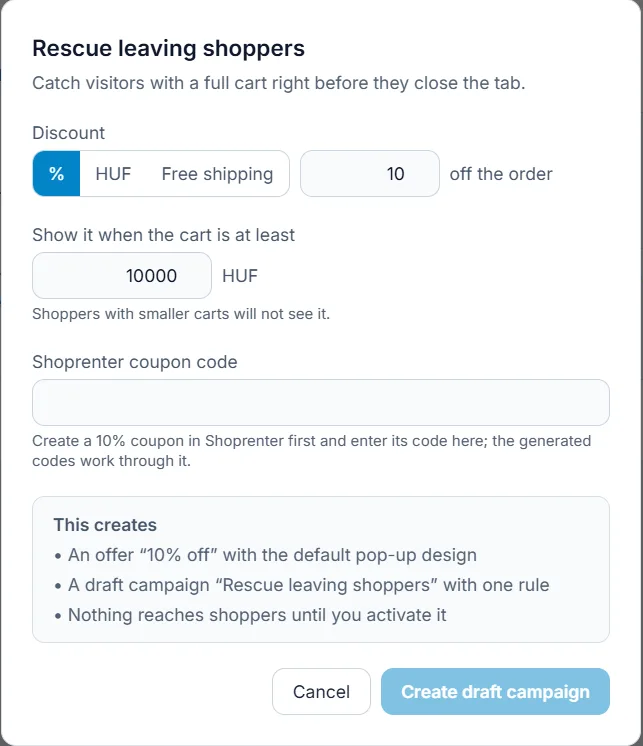
- Set the Discount type (percentage, amount or free shipping) and value, plus the campaign’s own setting, for example the minimum cart total.
- On Shoprenter in proxy mode, enter in Shoprenter coupon code the code of a coupon with the same discount that you created in Shoprenter first.
- Click Create draft campaign. This creates an offer with the default pop-up design and a draft campaign with one rule – shoppers see nothing yet.
3. Check and activate
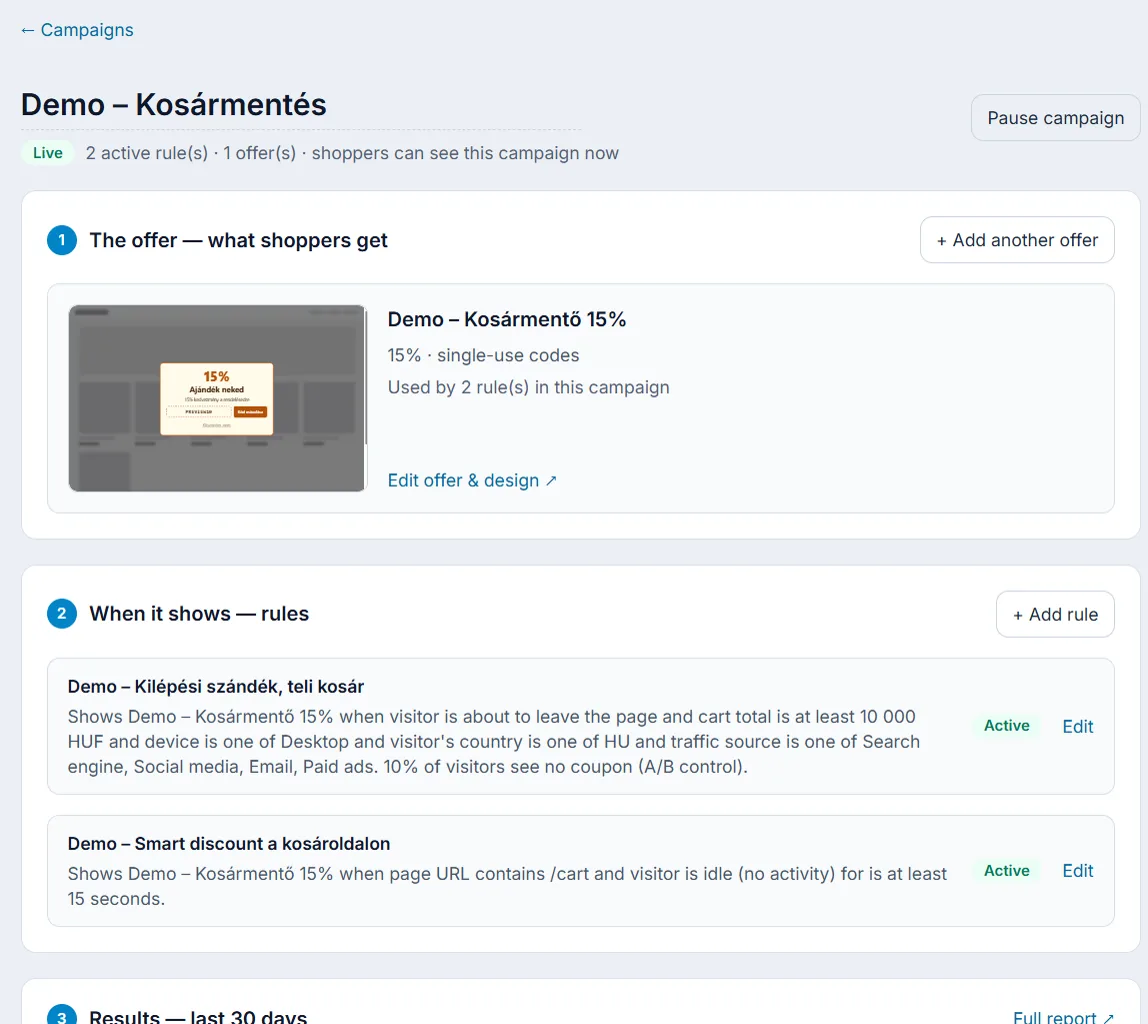
- On the campaign page check The offer — what shoppers get and When it shows — rules. Change the design with Edit offer & design.
- Click Activate campaign. Rules go live at once; there is no separate publish step.
4. Try it
Open your store in a private browser window and meet the rule’s condition (wait, or add something to the cart). The widget appears and you get a unique code. On the campaign page, Results — last 30 days shows the first numbers.