Coupon pools
A coupon pool supplies the codes and the widget design. A rule always gives out codes from one pool; several rules can share a pool.
A new pool
- Open Coupon pools and click New pool. (Ready-made campaigns and + Create a new offer on a campaign page create one too.)
- On the Settings tab set:
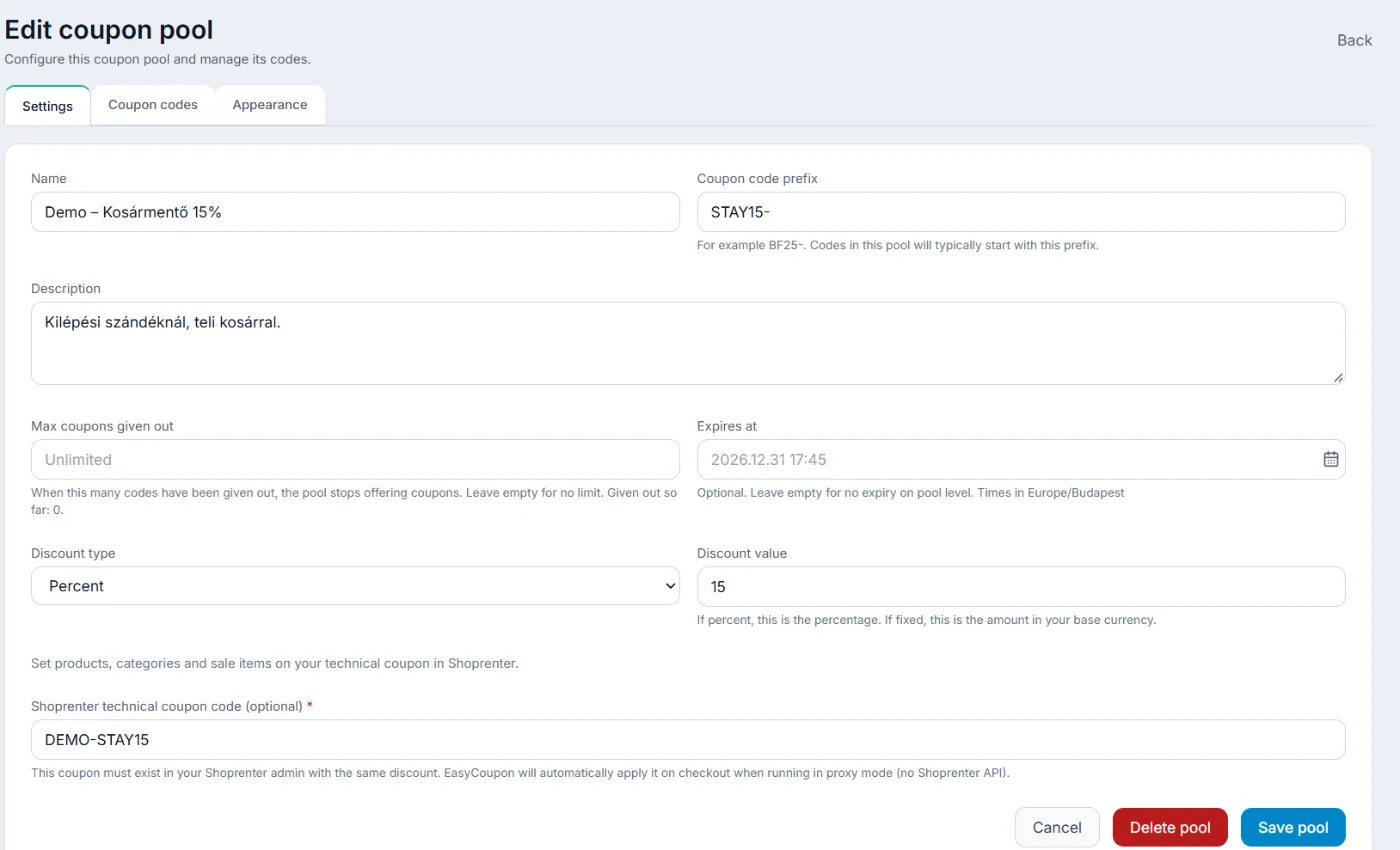
- Name and Coupon code prefix – the prefix starts every code, for example WELCOME-;
- Type: Coupon, or Message only for a goal bar without codes (cannot be changed later);
- Discount type and Discount value: percentage, fixed amount or free shipping;
- Max coupons given out – after this many codes the pool gives no more;
- Expires at and Minimum order amount.
- Click Save pool. Set the design on the Appearance tab.
What the coupon applies to
On Shopify and in Shoprenter shop API mode you can narrow it in Applies to: All products, Specific products, Specific categories (Shoprenter) or Specific collections (Shopify), at most 50 items; and tick Not valid on sale items. Free shipping always applies to the whole order.
In Shoprenter proxy mode you set products and sale items on the technical coupon in Shoprenter; for free shipping the technical coupon must give free shipping too.
Where the codes come from
- Shopify and Shoprenter shop API mode: every code is a real coupon in your store. For every pool in use the system keeps 50 codes ready; draft campaigns get none. Expired and used codes are deleted from the store as well.
- Shoprenter proxy mode: EasyCoupon gives the visitor its own code and types the pool’s technical coupon in at checkout.
You see the codes given out on the Coupon codes tab.