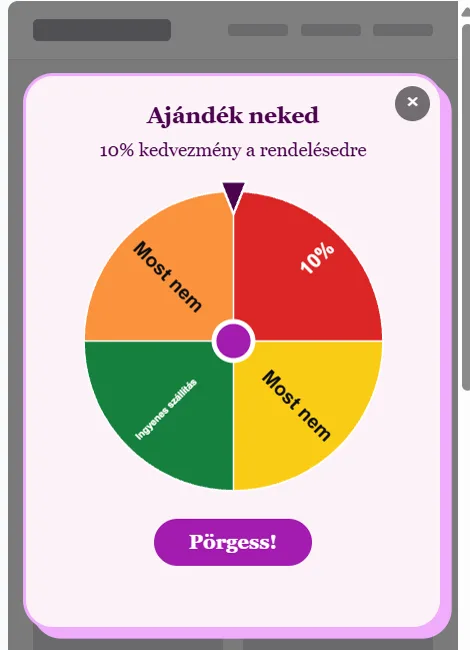
Spin to win
The wheel is a widget format: the visitor spins and the server decides the prize by the odds you set. Every segment is a coupon pool or “no luck”.
Setting it up
- Create the prizes as coupon pools, for example “10%” and “Free shipping”.
- Create a pool for the wheel and, on the Appearance tab, choose the Wheel format (or a wheel template from the gallery).
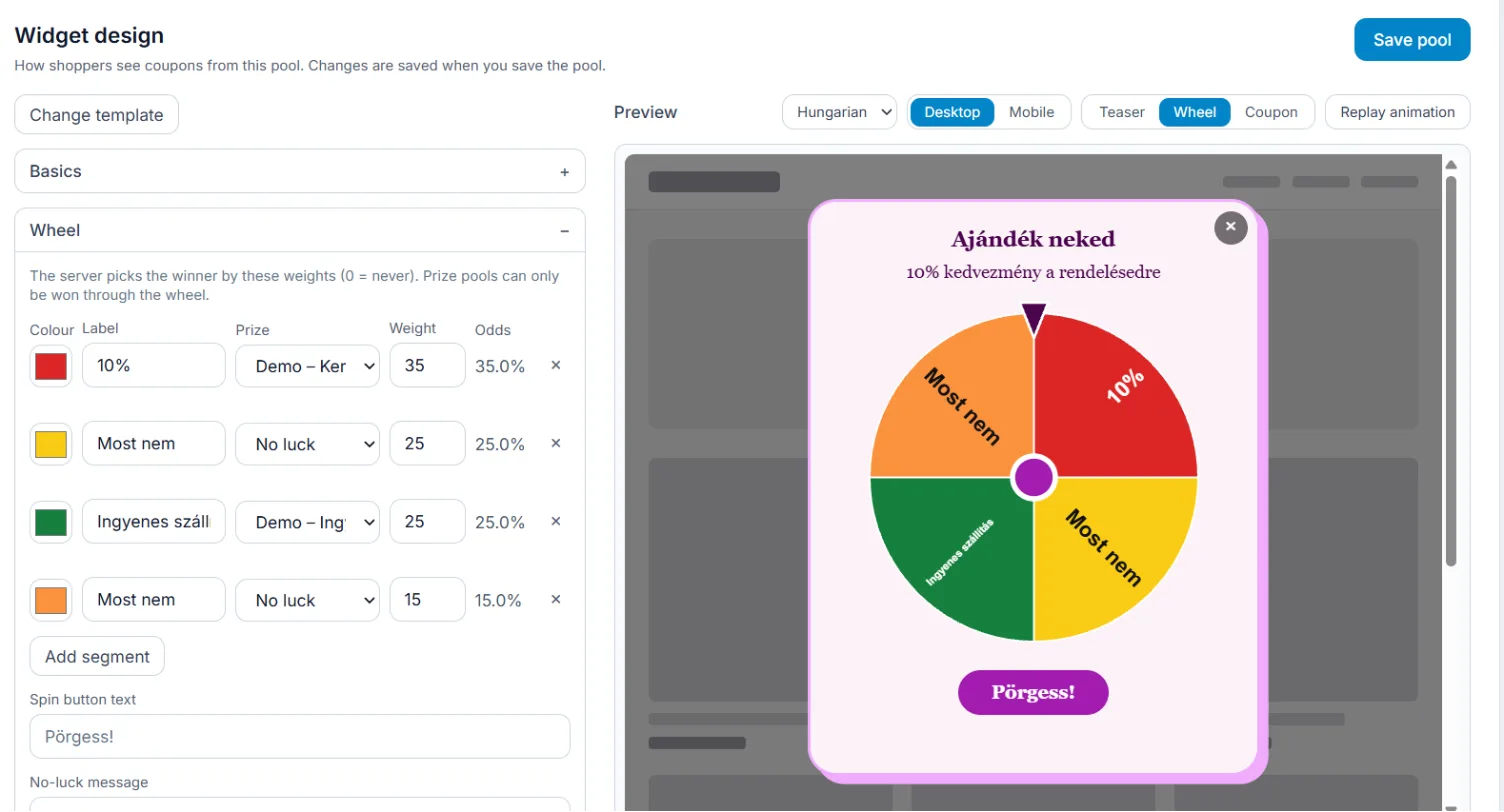
- In the Wheel section set for every segment: Label, Colour, Prize (a pool or No luck) and Weight. The Odds column shows the result as a percentage. A wheel has 3–12 segments.
- Set the Spin button text and the No-luck message, save the pool and give it to a rule.
Good to know
- The server draws the winner by the weights (0 = never); it cannot be influenced in the browser.
- A visitor can spin once per session.
- Prize pools can only be won through the wheel; they do not give out codes directly.
- On phones the wheel can have its own phone design.