Shop details, users and roles
Under Settings you set your shop’s basics and invite colleagues with the right role.
Tenant settings
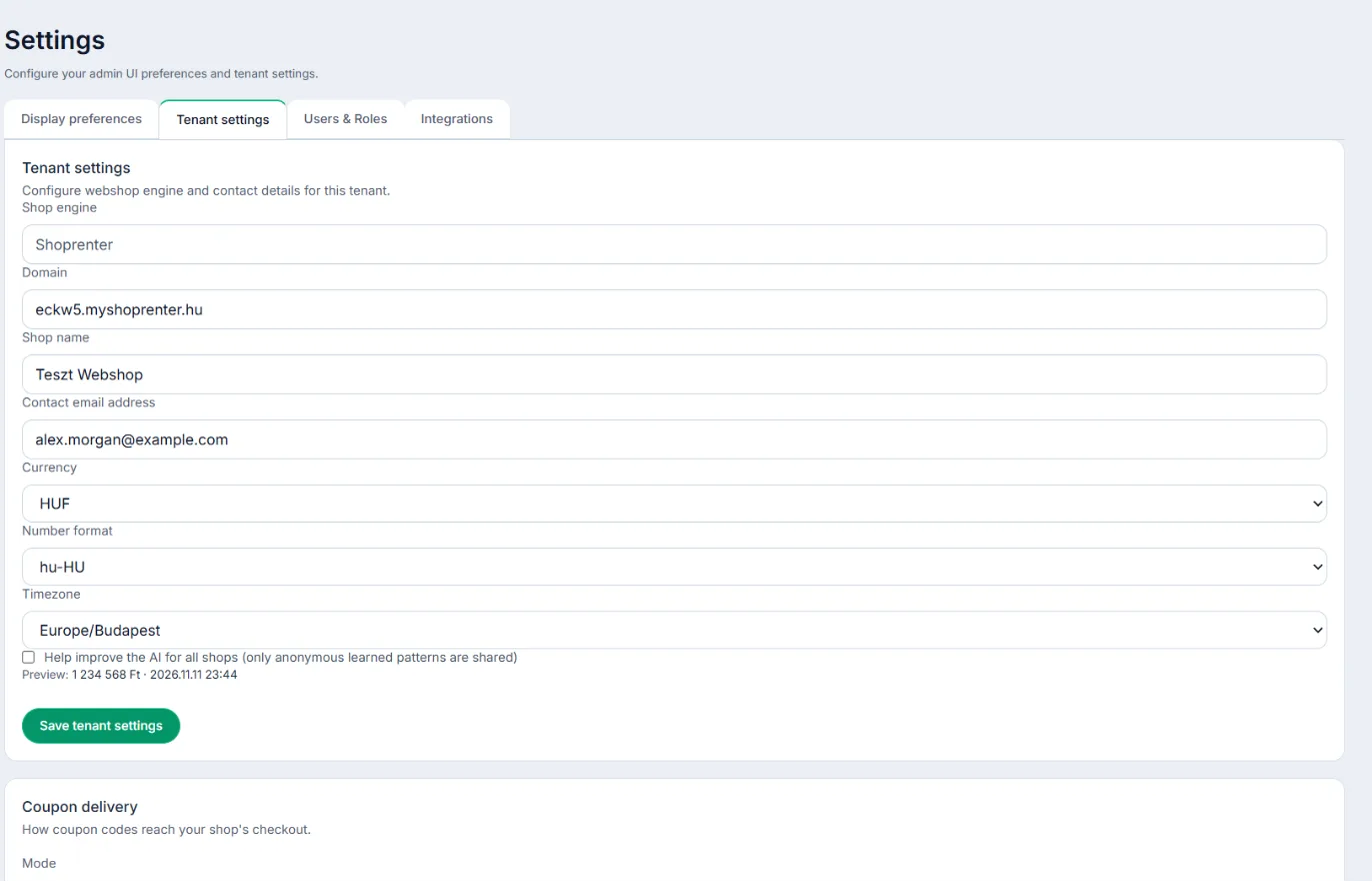
- Shop name and Contact email address – the contact also gets the emails about your monthly limit.
- Currency, Number format, Timezone – every amount, date and the daily reports follow these; the monthly limit counts calendar months in your shop’s time zone.
Users & Roles
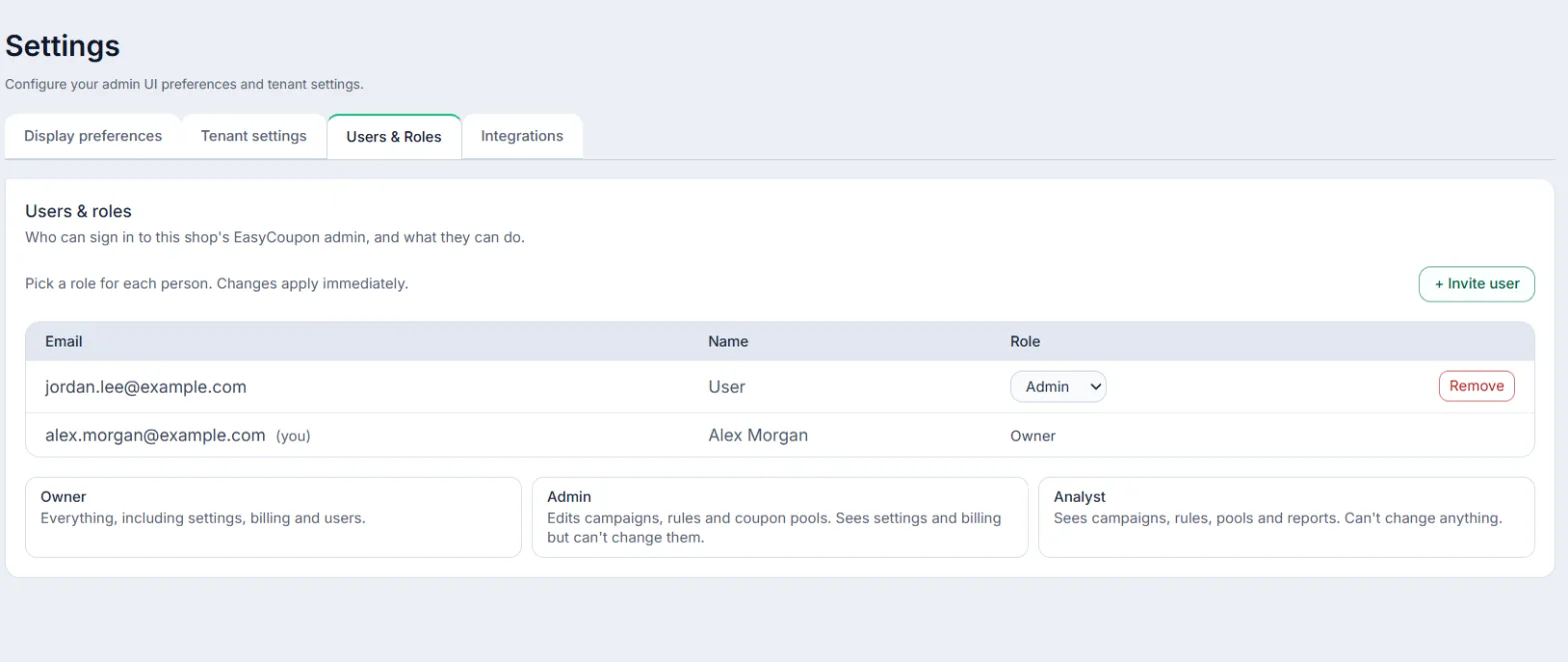
On the Users & Roles tab, under Invite someone to this shop, enter the Email address and the Role, then click Send invitation. They get an email with a sign-in link, valid for 7 days.
- Owner – everything, including settings, billing and users.
- Admin – edits campaigns, rules and coupon pools; sees settings and billing but can’t change them.
- Analyst – sees campaigns, rules, pools and reports; can’t change anything.
Integrations
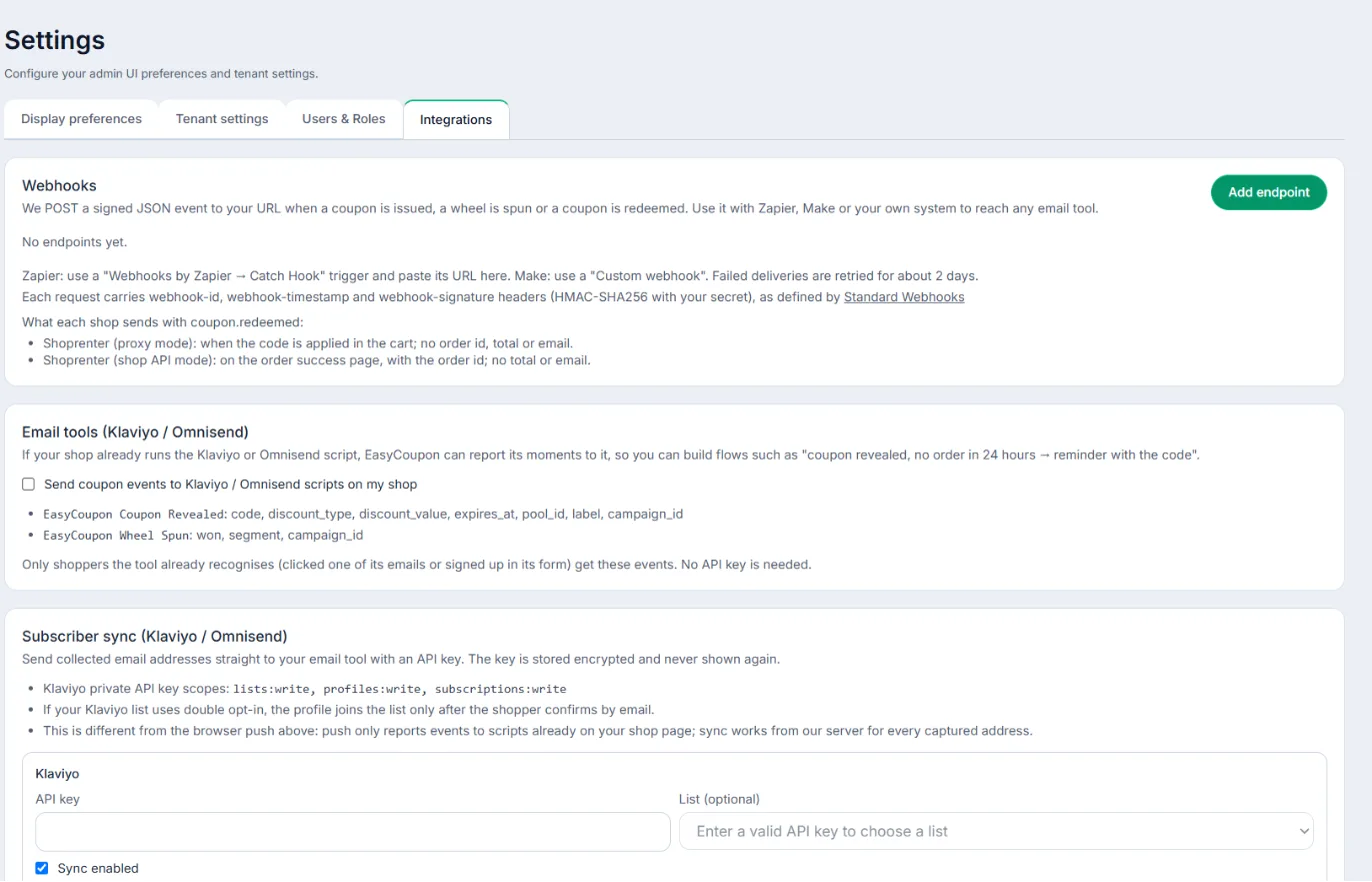
The Integrations tab holds Coupon delivery (Shoprenter), Subscriber sync (Klaviyo / Omnisend) and Webhooks.